| Tip | ||
|---|---|---|
| ||
Main Menu → Department Admin → Document Type |
Document Type Administration
This section of the Department Admin area allows authorized administrators of the specified department to create new document types for their department. A document type is defined as a categorization of a specific image, file, form, or document that will be captured, routed and stored in the IWS system. For example: a Legal department may wish to bring their "Vendor Contracts" into IWS to route through a specified set of workflow queues to be processed and then ultimately stored in IWS for archive and future retrieval. The "Vendor Contracts" is the Document Type in this example. In the Document Type admin area, we will tell the IWS system how to classify, index, and route the "Vendor Contracts" each time one is brought into the system. We will also be able to set security for what users and groups in the department can access the document type.
Sub Heading
Secondary content hereThere are multiple versions of Document Types that can be setup in IWS for different purposes. These are called "Form Types" and are defined in the Document Type section below.
Document Type (Tab)
In this first tab of the Document Type admin area, we can define all of the default settings for the Document Type.
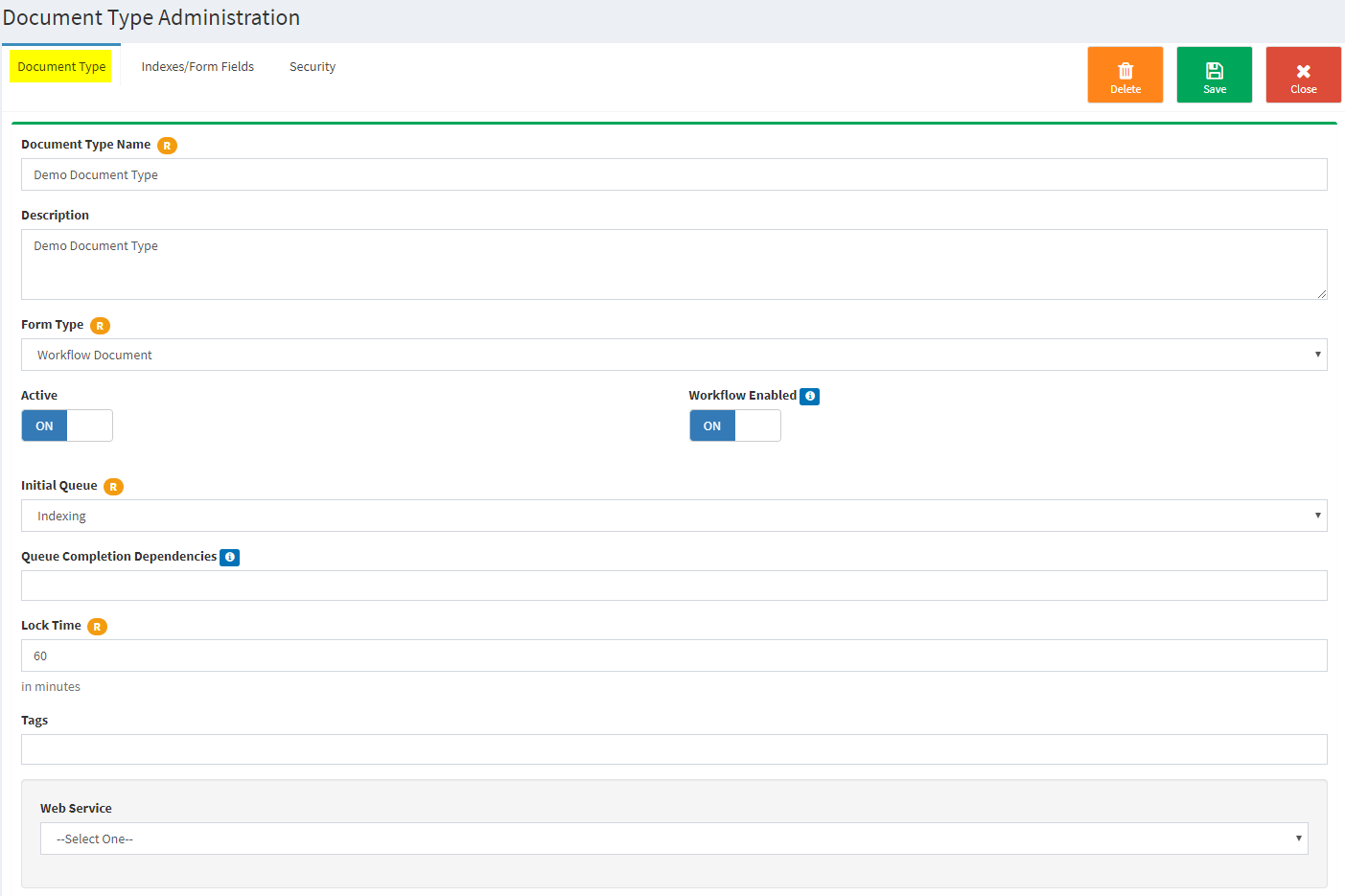
- Document Type Name: The name of this document type that will display throughout the IWS system.
| Content by Label | ||||||||||||||
|---|---|---|---|---|---|---|---|---|---|---|---|---|---|---|
|