Last Updated v1
Allows administration of additional Client accounts.
This is an optional feature. The first account approved for a Client is the “primary” account for that client. That primary account can create user logins for other Client administrative staff. Security roles can be assigned by the primary user (as supplied by HealthSmart Network Solutions.)
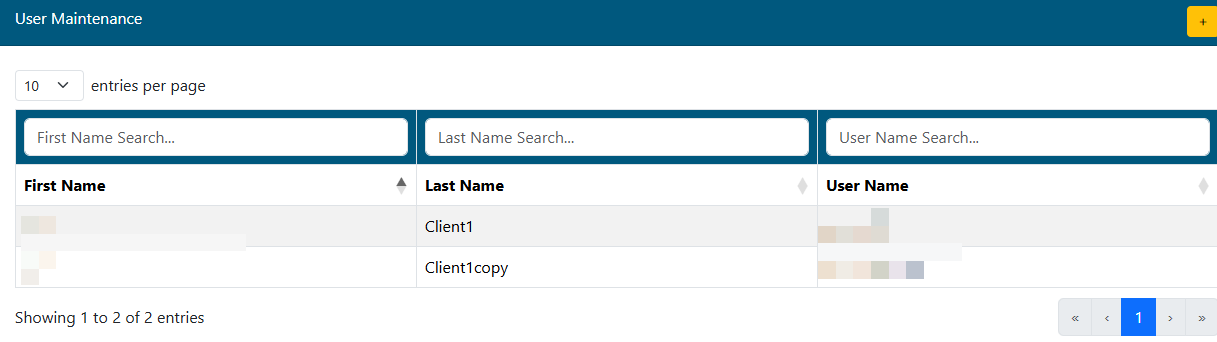
- Click the
button to start a new record.
- To find an existing user in the list, start typing their name in the empty search box directly above the user list.
- Click on any of the listed user records to view the details of the user account.
New Record
When adding a new Client Center user, fill out all required fields and click the  icon. Once saved, the security access groups will appear and you may grant access to specific areas of the Client Center.
**The password field is only available when creating a new account. Once the account is saved, the password is not editable from the user maintenance area. The new user may use the password reminder option on the login screen if there is an issue logging in.
| Info |
|---|
Clients with multiple group number access can only add the current group number to the new user's access (the group you are currently logged into). If the new user needs access to the other group numbers, please contact HealthSmart Network Solutions via the Forms/Questions area. |
Client Roles
Client roles can be used to assign new client users restrictions on what areas of the Web eXchange Client portal that user can access. All roles are defined in the Description column and are general generally self-explanatory. If you have questions on a specific role, please contact your Client Services RepresentativeHealthSmart Network Solutions.
In the Access column, click the red Add Access button to grant access to that role for the current user. Red buttons on a row mean they currently do not have access to that role. The Administrator role overrides all other roles and provides access to all areas of the Client Center.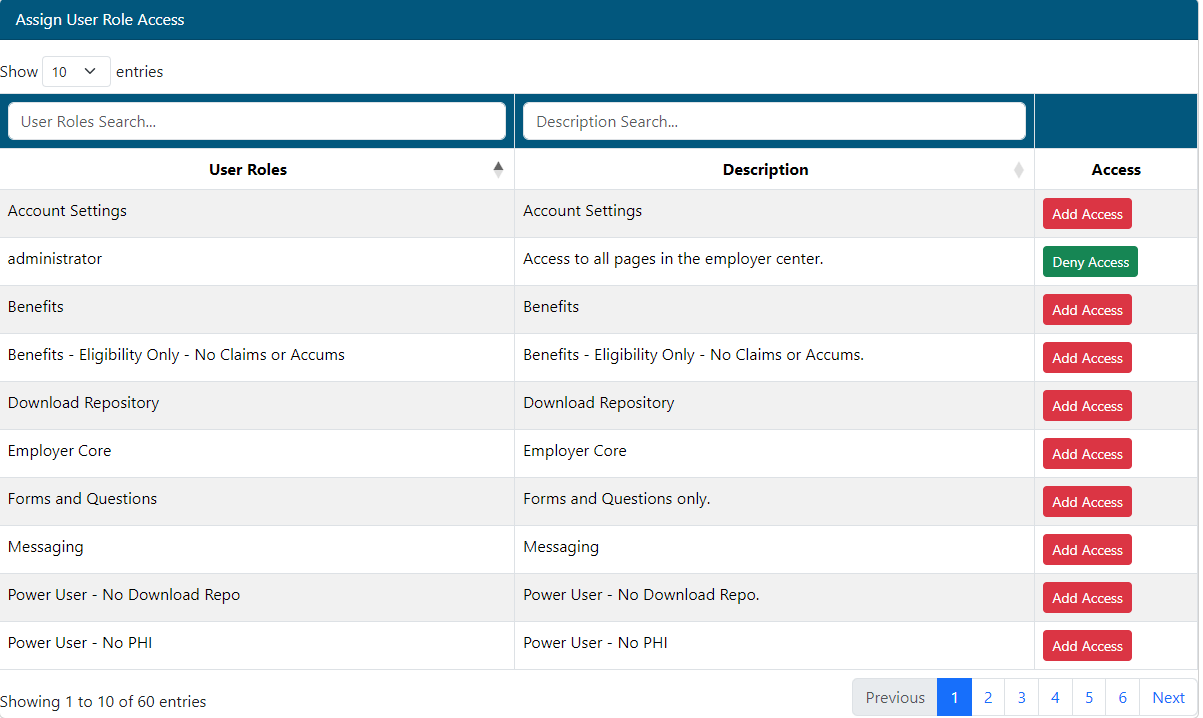
| Content by Label | ||||||||||||||
|---|---|---|---|---|---|---|---|---|---|---|---|---|---|---|
|