Last Updated v1 (In Progress)
The Downloads area allows the Client to access documents that have been placed for download by HealthSmart Network Solutions.
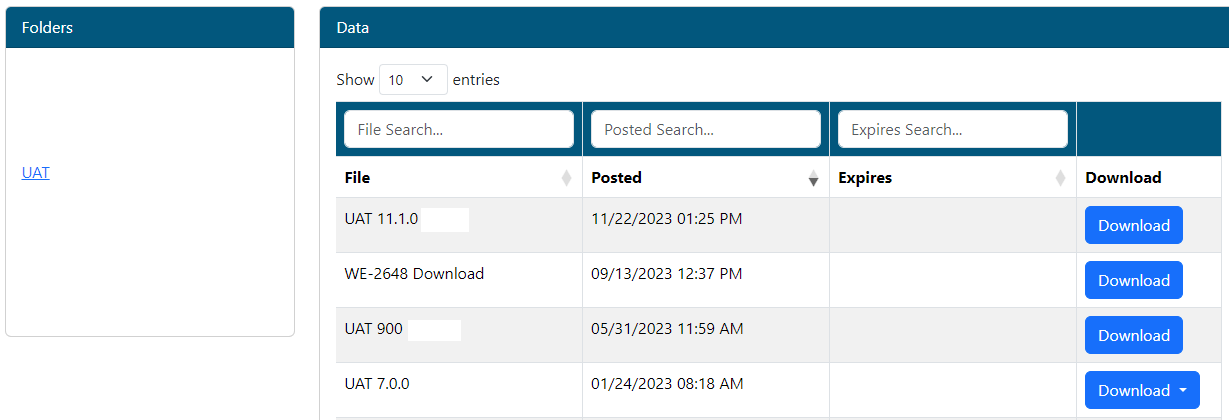
- The Folder list on the left indicates groupings or categories that reports have been posted under for the current client.
- Only folders that contain reports are visible. Expired reports are automatically removed and folder will also be removed once empty.
- Click any folder to see the reports in that grouping.
- On the report list within a folder, reports are sorted by posted date with the newest first. Click any column header to change sort order.
- Use the filter boxed above each column to search within a folder for a specific report.
- Click the download button on the desired record to download the file(s).
- If more that one file is contained in a download record, the system will prompt to select the desired file.
| Content by Label | ||||||||||||||
|---|---|---|---|---|---|---|---|---|---|---|---|---|---|---|
|