-
Created by
 Rob Ables, last updated on Mar 27, 2026
2 minute read
Rob Ables, last updated on Mar 27, 2026
2 minute read
Last Updated v1
My Client Requests (New Account Requests)
Approve or deny clients that have requested access to the Client Center for their group administration. Clients can access claim information, demographics, forms, questions, etc. from the Client Center. Authorized Network Solutions Staff should verify the identity of the requester prior to approval. Access must be granted to the Admin center user to access this screen.

- Use the filter boxes at the top of the grid list to narrow down the requests.
- Select the requests to review from the list.
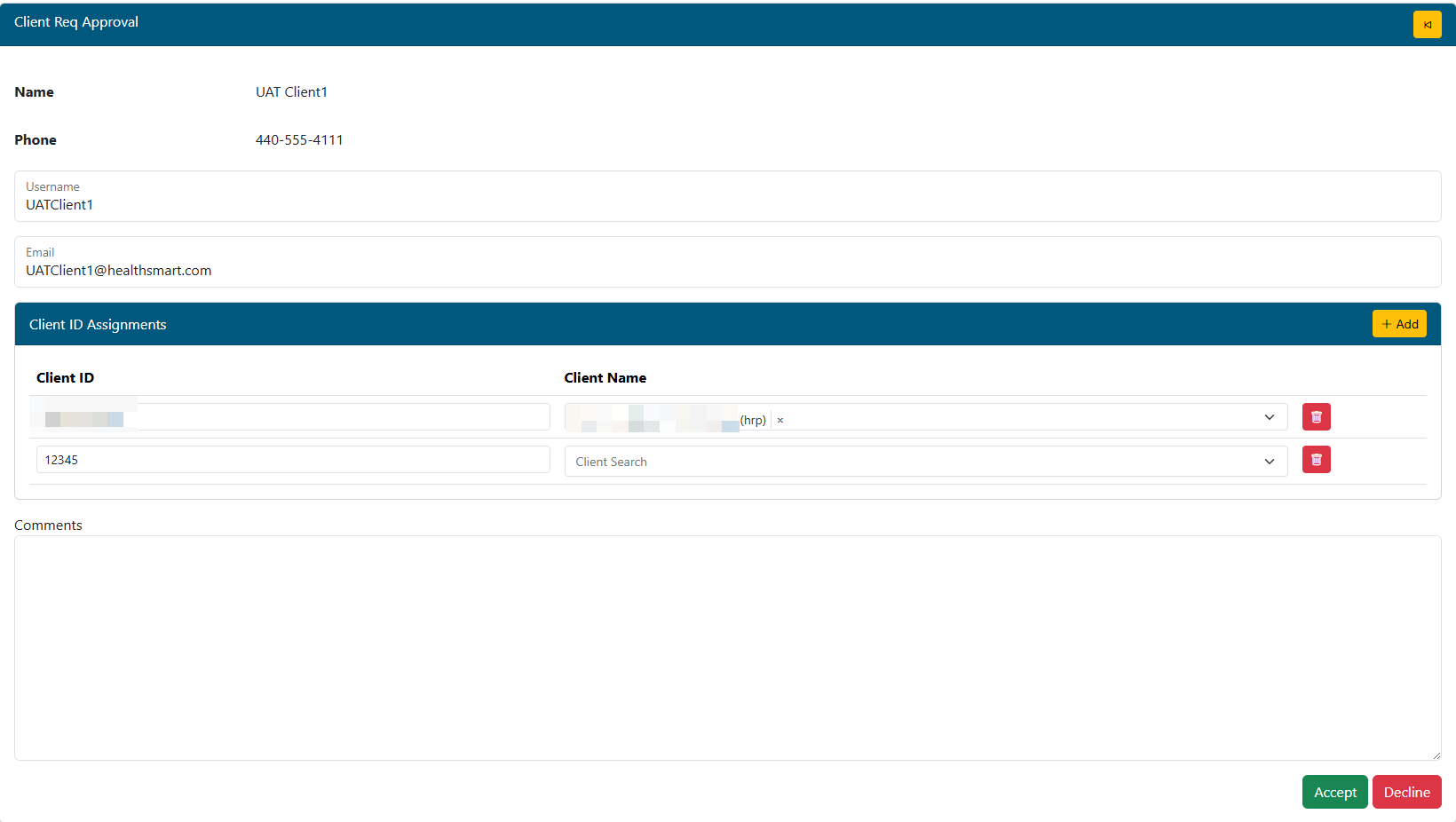
- Review the request for validity.
- Modify/search for the proper Client ID if it did not resolve automatically.
- Additional Client IDs can be added (beyond what the client user requested) by using the Add button

- Any requested employer ID row can be deleted if incorrect or not valid for this user. Use the delete
 button to complete that action.
 - Add any comments. The client will see these comments via email when they receive the approval or55px denial.
- ACCEPT or DECLINE the request using the buttons provided.
The client user will receive an email when they are approved or denied.