-
Created by
 Rob Ables, last updated on Dec 23, 2025
2 minute read
Rob Ables, last updated on Dec 23, 2025
2 minute read
Last Updated v1
Employer (Client) Settings
This screen will allow Admin Center system admin users to edit specific settings for the Employer/Client groups that have access to Web eXchange. The list of groups is pulled from the HRP system, and cannot be edited in Web eXchange. The purpose of this screen is to deactivate clients manually should they terminate coverage and to modify Web eXchange related settings.
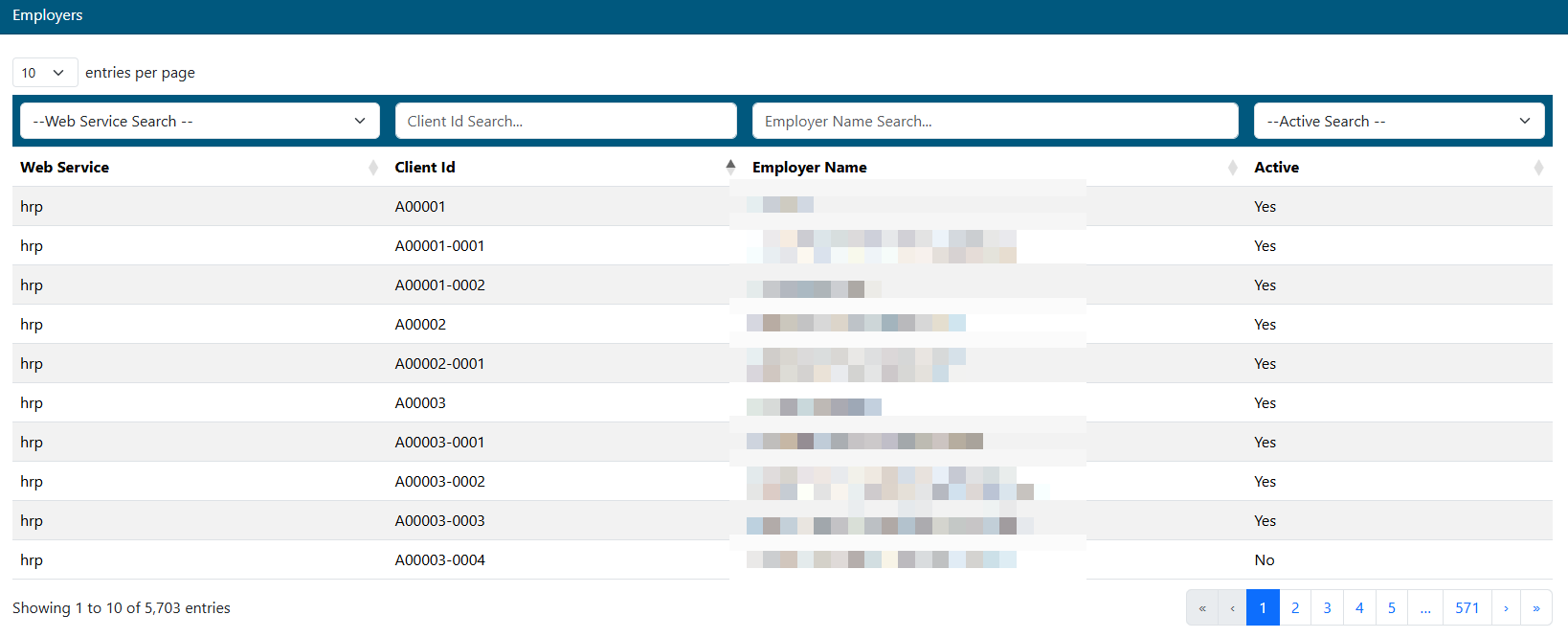
- Use the filters to narrow down your search.
- Select the Client from the list.
Edit Tab
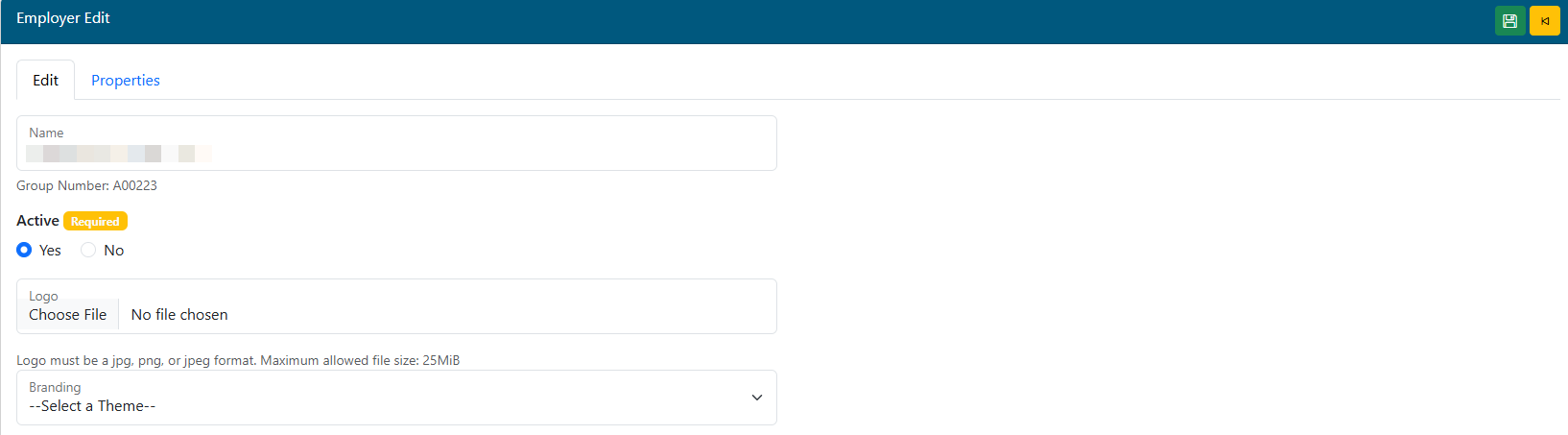
- Active: Select if the Client is Active or not. If Active is set to NO, all access to this Client NOT be available from any Center in Web eXchange.
- Logo: No longer used.
- Branding: Choose a custom branding theme if applicable for this Client. Branding themes are setup on the Branding admin menu option.
Properties Tab
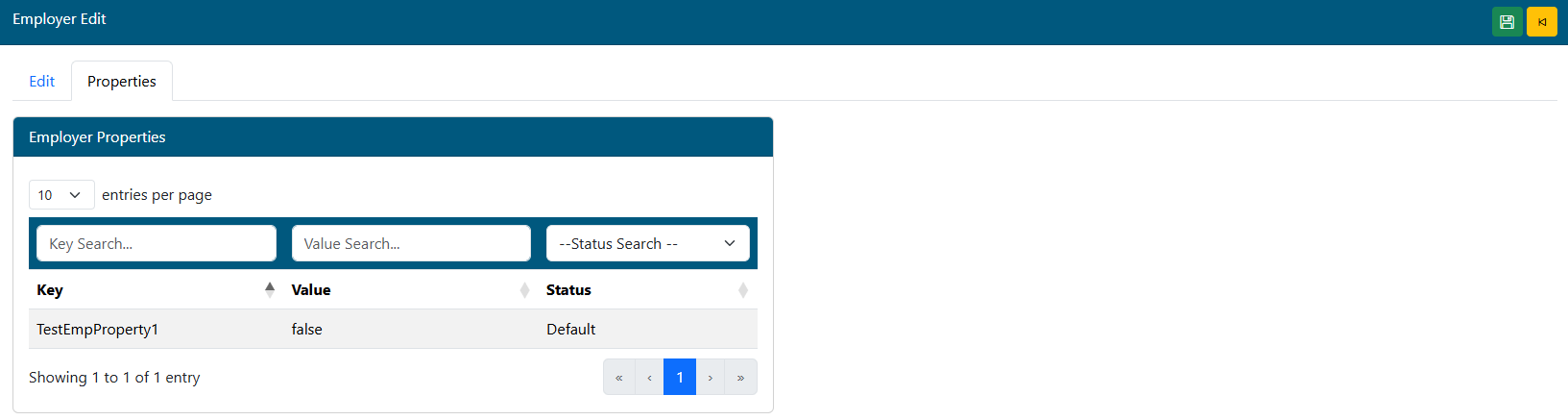
Employer properties are added by the system administrator as needed. There may not be any defined.
Each property value has a default setting (TRUE or FALSE). To override the default for a specific group, change the selection. To remove the default override, use the delete function on the Edit Employer Property window and the system will restore the default setting. There is no need to set each property for each new group unless the default is being changed since the system will create the default properties settings for each group. New System Properties can be added in the Admin\Employer Properties menu option, but should only be added or edited by the direction of the Development team.