-
Created by
 Rob Ables, last updated on Dec 23, 2025
2 minute read
Rob Ables, last updated on Dec 23, 2025
2 minute read
Last Updated v1
Employer (Client) Roles
Client roles are used to define what areas of the Client Center are accessible by an Client user. Setup general roles that can be assigned to Client users by Admin Center staff, and primary Client users who are building sub-users on their own.
These roles are used system wide for all Clients, so they should be generic, and not setup for a specific Client.
Roles List
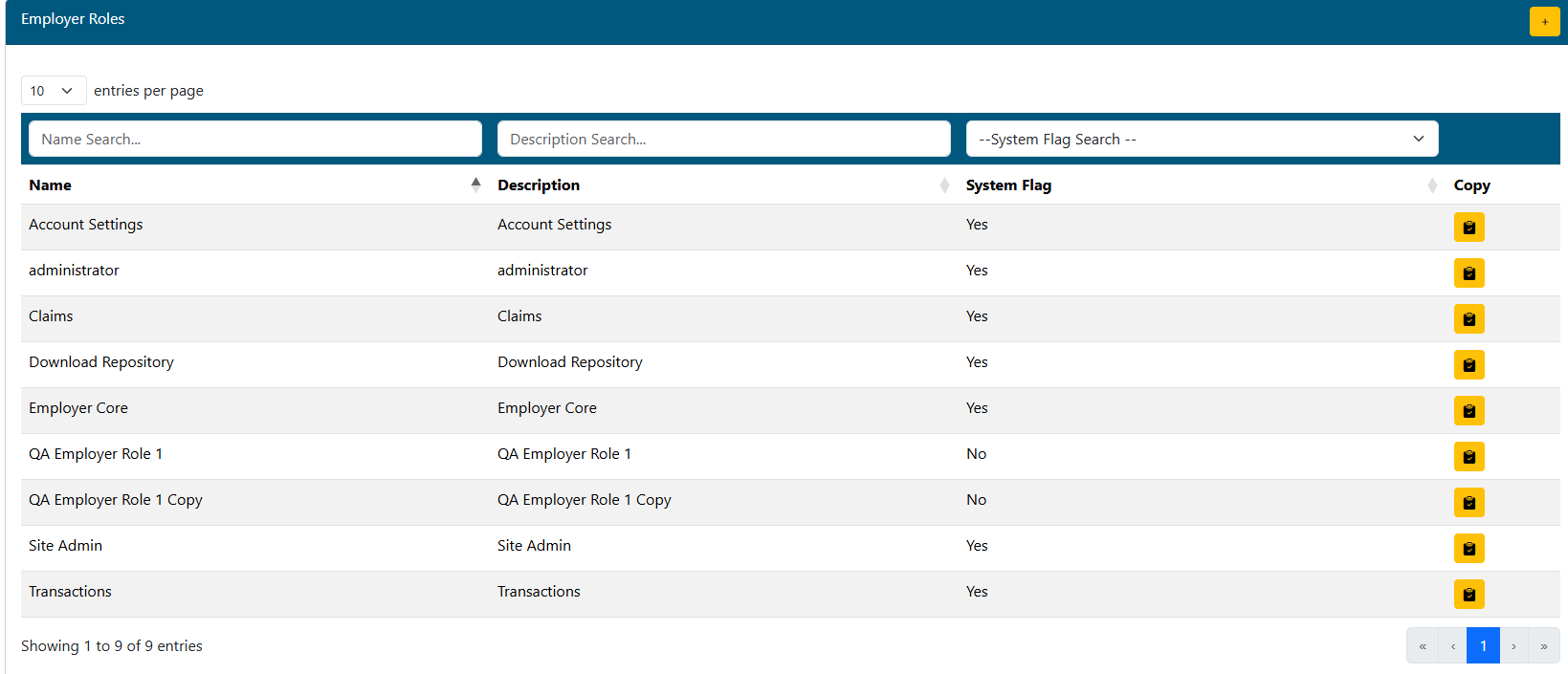
- Use the filter boxes at the top of each column to narrow the list of existing roles.
- Add a new role y clicking the Add
 button.
 - Click the desired role to edit.
- Use the Copy
 button to copy an existing role to a new role.
System flagged roles can't be edited. These are created by default, and can be used to assign access to Client users along with any custom roles you create.
Role Add/Edit

- Add\Edit the name of the role.
- Add\Edit the role description.
- Both of these items should be clear as to what access they provide. The end user that may be assigning these custom roles, will not be able to see the specific permissions inside the role.
Actions
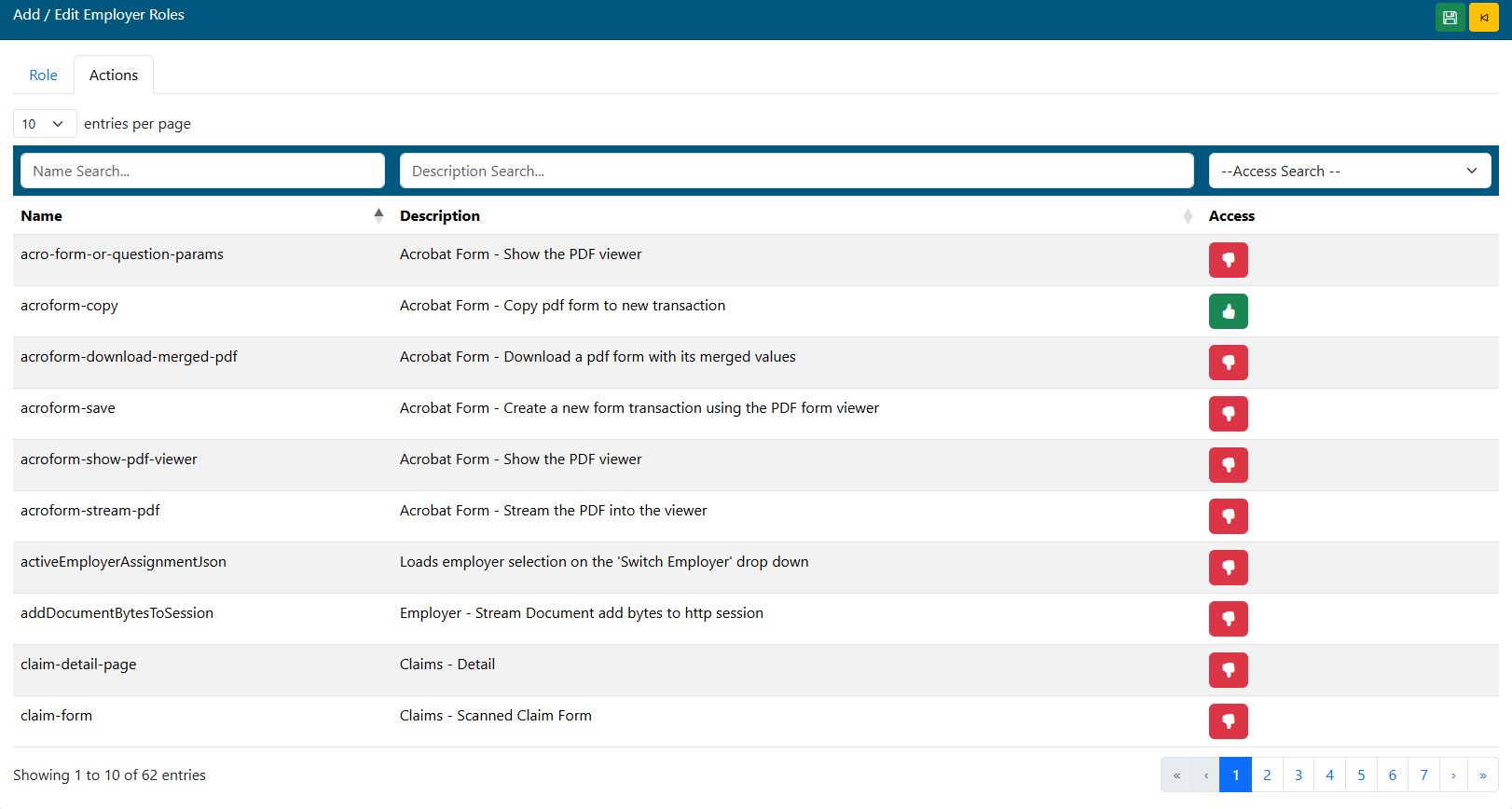
- Listed will be all available "actions" in the Client Center. Change the Access column icon to yes (thumbs up) for those actions this role will be allowed to perform.
- Note that there are multiple pages of actions.
- Click the Save
 icon to save all changes.