-
Created by
 Rob Ables, last updated on Mar 23, 2026
1 minute read
Rob Ables, last updated on Mar 23, 2026
1 minute read
Last Updated v1
This page lists the Provider Center sign up requests that are waiting for review.

Filter - through the list using any of the search boxes at the top of each column.
Select - the request to be reviewed by clicking on the row.
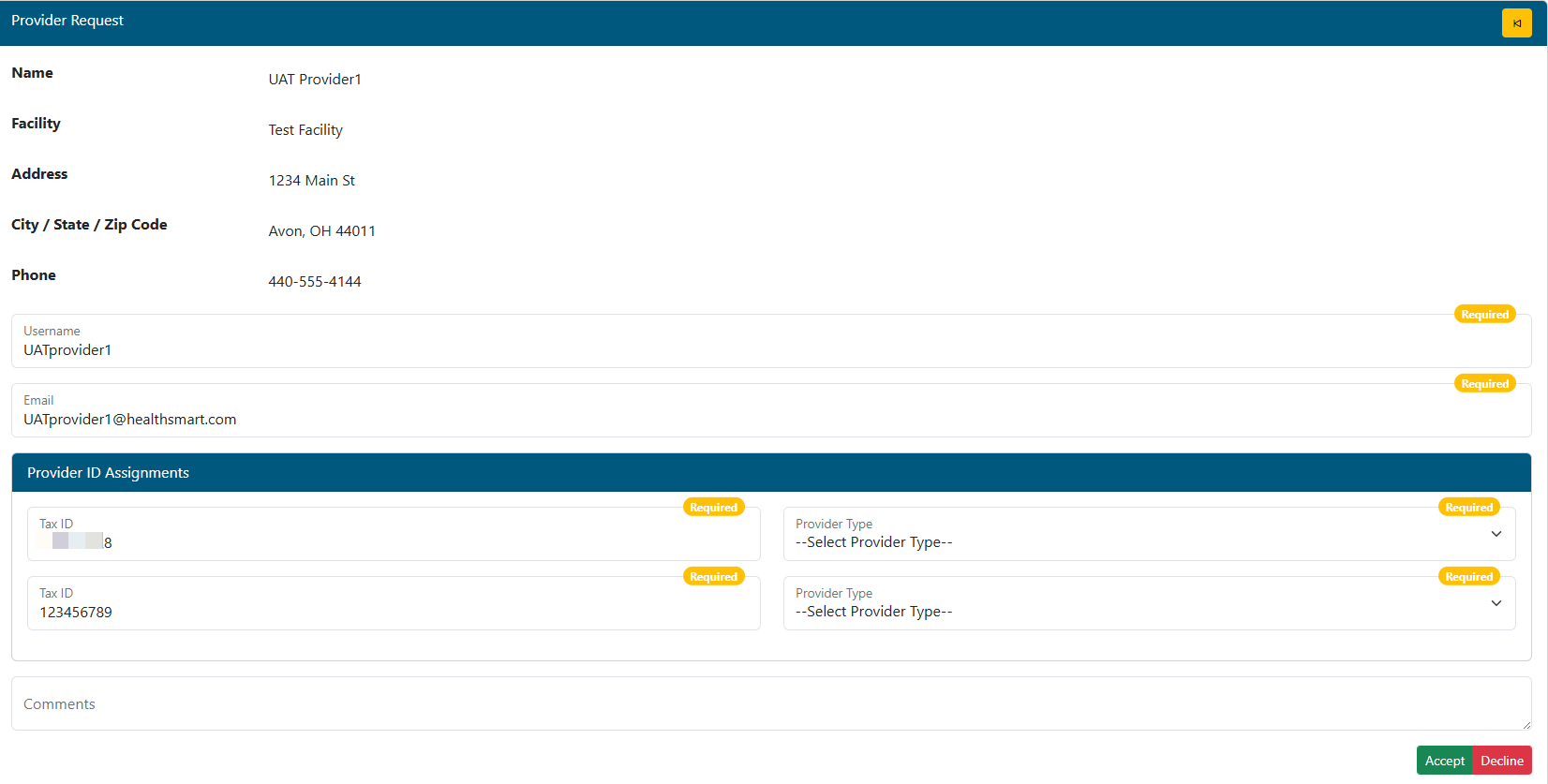
Review - the details of the request. Use departmental methods for verifying the provider is valid for the Tax ID or Top account requested.
- Provider Type - Select Top or Sub account based on the ID requested.
- Assigning a provider/practitioner Top account grants the user access to all Tax IDs under that top account.
- Add any comments back to the provider for approval, or explanation if the request is declined.
Accept or Decline the request to finish.