-
Created by
 Rob Ables, last updated on Dec 17, 2025
2 minute read
Rob Ables, last updated on Dec 17, 2025
2 minute read
Last Updated v1
This screen is used to view network claim information.
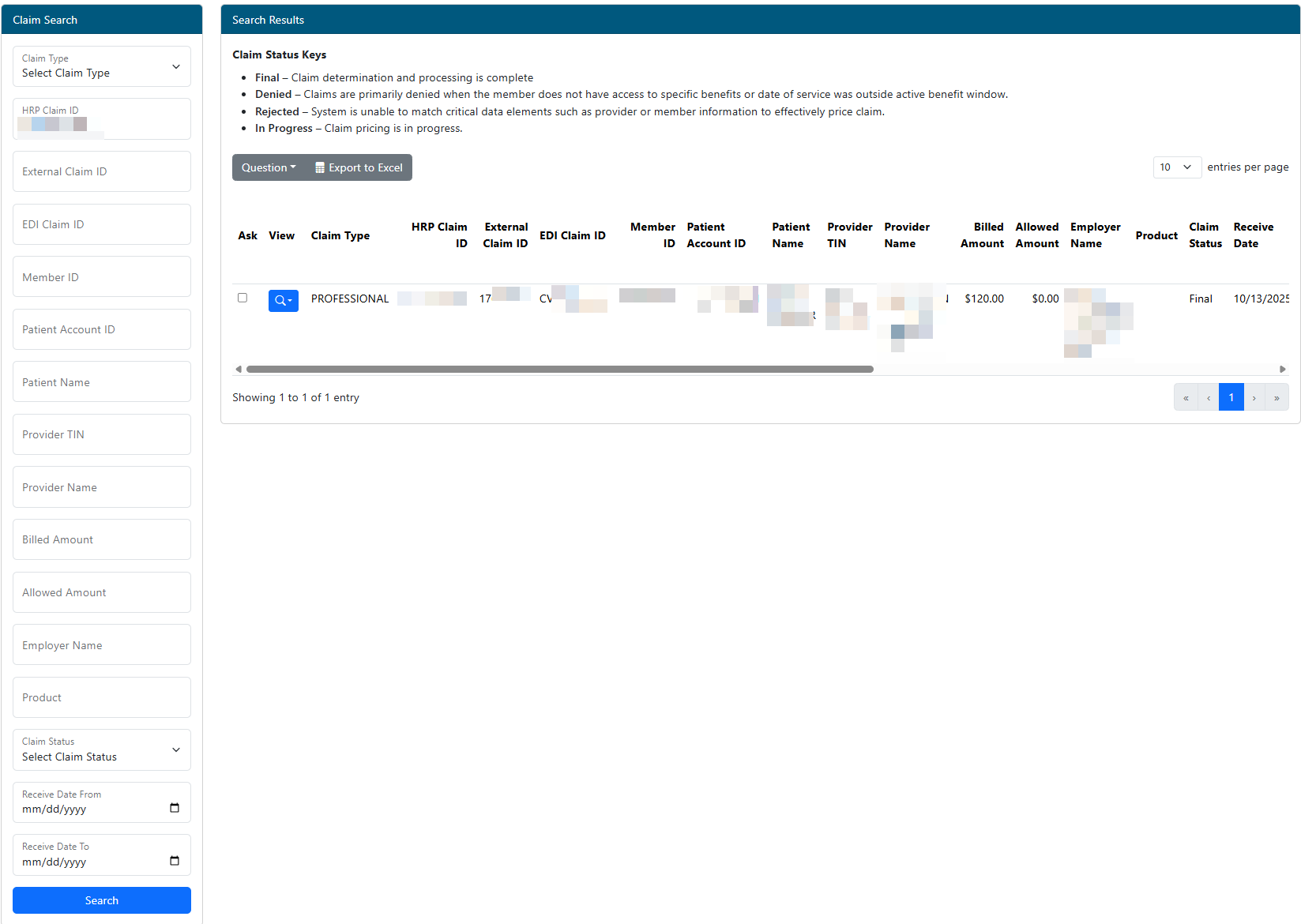
- Searching Claims - Claims can be filtered by typing in search criteria in the left Claim Search panel.
- Click the Search button to execute the search process.
- Once claim results are shown in the results list, the options listed below are available.
- If the search criteria entered is too broad, the system may take excessive time to return results. For the best results, please enter as much search criteria as possible.
- **The results table contains multiple columns and can be scrolled right/left using the scrollbar at the bottom of the results to see more columns.
- Questions - Use this option to ask questions or fill out forms related to a claim in the result list. Claim(s) in the result list need to be selected by clicking the checkbox in the "ASK" column of the results row.
- **This option is NOT available in the Admin Center.
- Export to Excel - Use this option to export all claims currently listed in the grid to an Excel sheet (includes all pages in the grid).
- Paging - Claims in the grid are shown 10 at a time. The bottom of the grid contains the current page being viewed and the total number of pages. The page can be changed by using the forward or back arrows. A page number can also be typed into the current page number box followed by the enter key. The grid will then jump to the given page number.
- View
 - The View button provides a selection of claim related documents like Claim Forms and Repricing Sheets.
- Select an option from the list to view the corresponding document (Not all documents are available for all claims).
Viewing Claim Details
Click anywhere in the Search Results row of the claim to be viewed. This will open the claim detail screen.
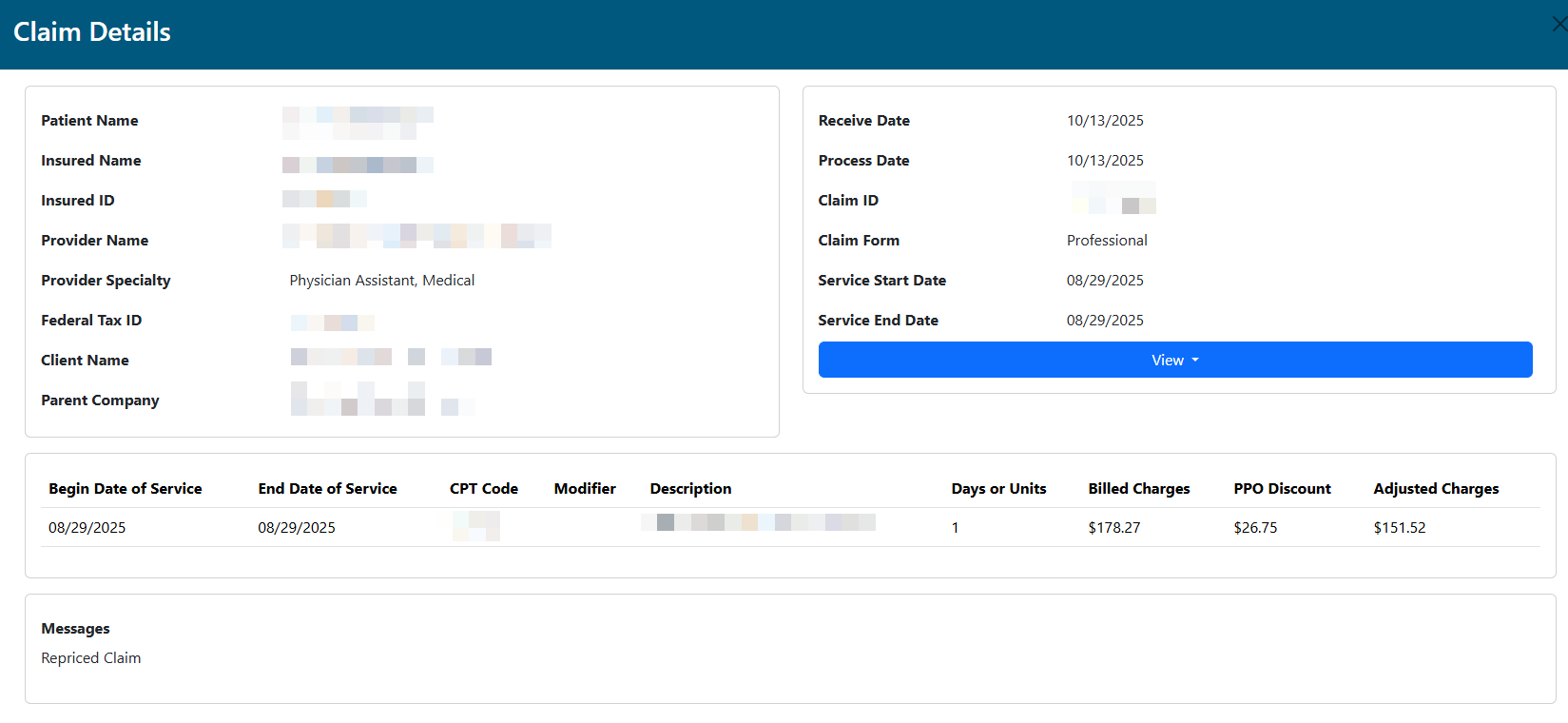
- View - The View button provides a selection of claim related documents like Claim Forms and Repricing Sheets.
- Select an option from the list to view the corresponding document (Not all documents are available for all claims).