-
Created by
 Rob Ables, last updated on Mar 23, 2026
1 minute read
Rob Ables, last updated on Mar 23, 2026
1 minute read
Last updated v1
This page contains the server logs viewable in two different formats as explained below.
The system settings displayed here are stored in the database and can be changed in this interface by clicking on any row.
Database Logs
The Database Logs option allows an admin user to see all logging that is held in the system database from any server in the server pool (if multiple servers exist).
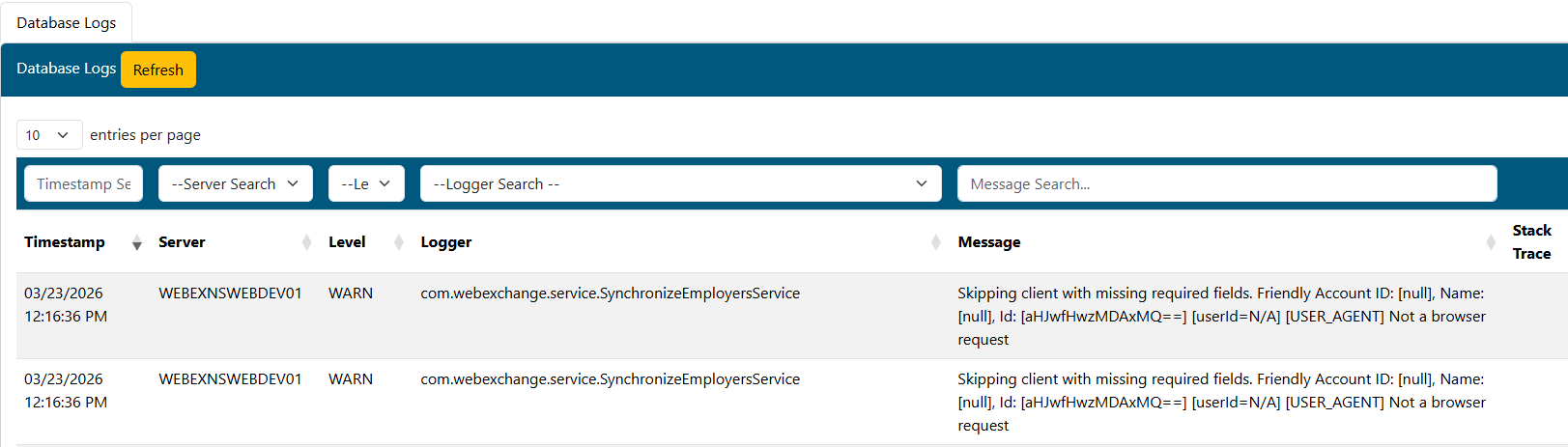
- Use the filter and sort options for the results table to review/find any log entries.
- If the record is an ERROR, a button will be present in the Stack Trace column. If clicked, a modal window will open with the error details.
- Using the Refresh button at the top of the grid refreshes the results without resetting the page or filters.